My Eye-Gaze Research Journey: Building an Assistive Communication System
By Kisho Jeyapragash
My academic research focused on a difficult communication problem: a person may understand what is happening around them but be unable to speak or move their limbs. I developed an adaptive eye-gaze communication and control system for Locked-in Syndrome, using an everyday webcam as the input device. The work brought computer vision and interface design together around communication through eye movements.
From eye landmarks to an interaction
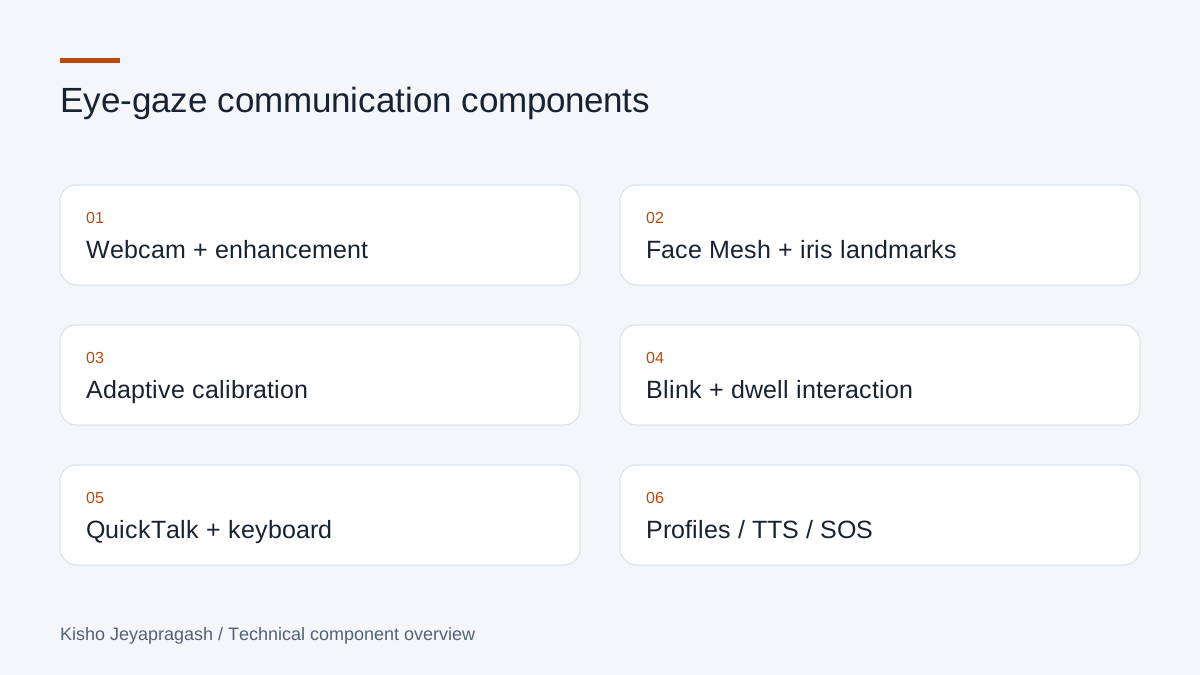
I used OpenCV and MediaPipe for facial and iris landmark detection. Locating landmarks is one part of the system; selecting an intended action is another. I implemented eye selection and tracking, adaptive nine-point calibration, blink-based interaction and dwell-based selection. Calibration connects the tracking signal with screen positions, while blink and dwell interactions give the user ways to make a selection.
- Webcam-based facial and iris landmark detection.
- Adaptive nine-point calibration and eye selection.
- Blink interaction and dwell selection.
- Low-light image enhancement within the image-processing workflow.
Making communication the centre of the interface
I developed QuickTalk for selecting short communication options and a virtual eye-controlled keyboard for composing text. Text-to-speech turns selected or typed text into spoken output. These interfaces serve different needs: a prepared message can be faster to select, while a keyboard allows an individual message.
| Interface | Communication role |
|---|---|
| QuickTalk | Select a prepared communication option |
| Virtual keyboard | Compose a message through eye-controlled interaction |
| Text-to-speech | Speak the selected or composed message |
Profiles and emergency communication
Evaluating the developed interface
I evaluated the developed system with healthy volunteers and received positive feedback on their experience using the eye-gaze interface.
Why an ordinary webcam was an important starting point
My research title is Development of an Adaptive Eye-Gaze Communication and Control System for Locked-in Syndrome. The motivation was communication when conventional speech, a mouse or a keyboard cannot be used. A webcam-based approach gave me a way to explore eye-controlled interaction without making a dedicated eye-tracking device the starting requirement. It also made camera conditions and interface design part of the engineering problem.
The purpose was not simply to draw landmarks over a face. A communication system must turn an eye movement into an understandable choice, then turn that choice into a message. I treated tracking, calibration, selection and communication as separate responsibilities. That distinction is useful when evaluating the system: a visible iris landmark is evidence that detection is working, but it does not by itself show that a user can compose the message they intend.
Detection and calibration solve different problems
OpenCV supports the camera and image-processing work, while MediaPipe Face Mesh and iris landmarks provide the facial and eye observations. I developed real-time eye tracking and eye selection around that input. Low-light image enhancement addresses the image presented to detection. It belongs to the input side of the system, whereas calibration addresses how the observed eye position relates to an interface target.
I implemented adaptive nine-point calibration to connect the tracking signal with screen locations. This is an important separation: detecting an iris does not automatically provide a reliable screen coordinate. Calibration establishes that relationship for the interaction. I describe the implemented calibration structure rather than attaching a particular regression algorithm or numerical improvement to it; those details need the research methods document to be explained accurately.
Selection needs an explicit interaction model
Looking at a control and choosing it are not necessarily the same intention. I implemented both blink-based interaction and dwell-based selection. A dwell interaction uses sustained attention to a target, while a blink provides another selection signal. Supporting both allowed me to explore interaction beyond continuous pointer movement. The interface has to make the intended target understandable before the action becomes useful.
For a developer approaching an eye-controlled interface, this is an important design question: what observation identifies a target, and what observation confirms the action? Keeping those questions separate makes it possible to reason about message selection, keyboard input and an emergency action without treating every detected movement as a command. I do not assign thresholds or timing values here because they should come from the documented implementation.
Short messages and free text serve different needs
QuickTalk and the virtual keyboard offer complementary ways to communicate. A prepared message reduces the interaction needed for a familiar request. The keyboard gives the user a way to express something that is not already available as a quick option. Text-to-speech then makes the selected or composed message audible. The output is therefore a communication result, not just a cursor position displayed on screen.
Patient registration, profile management and face-recognition login support the personal context around those tools. I developed an SOS workflow within the interface as well. It should be understood as emergency communication within the developed system, rather than evidence of a validated connection to clinical or emergency-response services. That distinction keeps the description faithful to what the research actually demonstrated.
Evaluation concerns the interaction, not only detection
I evaluated the developed system with healthy volunteers and received positive feedback on their experience using the eye-gaze interface. Research evaluation and session logging were included in the system. The feedback concerns use of the developed interface; it is not clinical validation with Locked-in Syndrome patients. I completed this academic research and received an A grade for the six-credit research subject.
The result I can explain confidently is the completed system and the positive volunteer experience. Without the evaluation tables and protocol, I will not turn that feedback into an accuracy score, a participant count or a comparison against another device. A useful research account should distinguish the implemented mechanisms, the population involved in evaluation and the conclusions that the evidence supports.
What I carry into other interface work
This research brought together computer vision, interaction design and software workflows. It taught me to describe a system at the level of the person using it: how a target is selected, how a message is composed, and how the result is communicated. For another developer, that is the practical takeaway. A technically interesting input signal becomes an assistive interface only when the surrounding interaction has a clear purpose.