How I Approach Backend Development and AI Integration
By Kisho Jeyapragash
I work on backend services that support a real application flow: a person submits something, the system checks it, records a useful result and makes that result available to the interface. AI integration belongs inside that flow. My reporting, task-planning and workflow projects give me concrete examples of why data modeling and application boundaries still matter when a model is involved.
Start with the application state
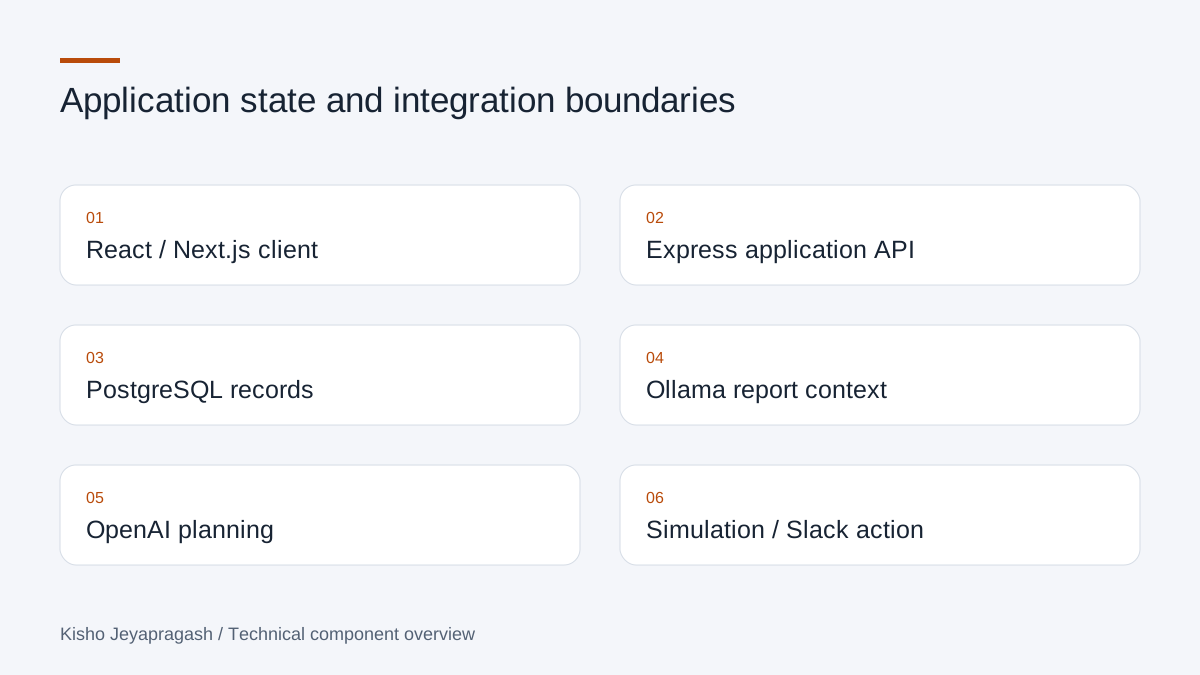
In my Weekly Report Generator, reports can be drafted and submitted, and administrators, managers and team members have different workflows. I used a React client, Express API and Prisma with PostgreSQL. The report and project records remain application data; the local Ollama assistant supports manager and administrator workflows around that context.
That distinction helps me decide what to store. A submitted report needs a durable record independently of whether an assistant response is available. I do not make the core reporting workflow depend on a model generating a useful answer on every request.
Keep a plan different from a completed action
AI AutoWorker takes natural-language task input and produces structured plans through an OpenAI integration. Its Next.js dashboard and Express backend track task history, state and logs in PostgreSQL. The queued execution flow is a simulation with progress and retry handling. I describe it that way because generating a plan and carrying out a real external operation are different capabilities.
The project also includes fallback planning when the AI service is unavailable. The useful engineering question is what the interface can still display and what state the application should preserve when a provider cannot supply a result.
Make execution inspectable
In my Low-Code Workflow Automation Platform, a React Flow editor defines connected workflow nodes and an Express backend executes the saved graph. PostgreSQL stores workflows and execution history, and a configurable Slack node sends a message through a webhook. Run status and logs connect the visual graph to what happened during execution.
| Project | Stored application context | AI or automation role |
|---|---|---|
| Weekly Report Generator | Reports, projects and role-aware workflows | Local Ollama assistant |
| AI AutoWorker | Task state, plans and logs | OpenAI planning with a queued execution simulation |
| Low-Code Workflow Platform | Graphs and run history | Connected actions, including a Slack webhook |
A small example: validate before sending an integration request
The following example is illustrative, not a copied endpoint from a private project. It shows the boundary I mean: normalize and validate a text input before passing it to the next service. The surrounding API still needs its own authentication, authorization and domain validation.
function requireTaskText(value) {
  if (typeof value !== 'string' || !value.trim()) {
    throw new Error('Enter a task description.');
  }
  return value.trim();
}
Test the application contract
I look at successful requests, invalid input, access rules and integration failures as separate cases. The task-management platform provides a role-aware Laravel example; my GitHub review assistant provides an example of durable job state and commit-specific results. Both keep a structured application workflow around the feature the interface presents.
Use the data model to define what a result means
The Weekly Report Generator makes this concrete. Its Prisma schema includes users, roles, projects, weekly reports and refresh-token records. Reports have DRAFT and SUBMITTED states, while projects have their own lifecycle. A report belongs to a user and project and describes a week range. Those relationships define the application before the assistant is involved.
The React interface and Express API support drafting, editing and submitting reports. Manager and administrator views add summaries and reporting context. The local Ollama assistant receives application context through the AI chat endpoint. A generated explanation is not the weekly report itself: the persisted report remains the record that other workflows read. That distinction is important when designing a feature that adds generated output around existing business data.
Validate at the boundary that receives the request
The reporting project uses Zod request validation before controllers and includes frontend form schemas. Its JWT-based authentication uses access and refresh tokens, with refresh-token hashes persisted for session management. Role checks restrict manager and administrator functionality. The assistant is therefore an application endpoint behind an access boundary, not an unrestricted shortcut to report data.
This gives another developer a useful way to organize an integration: validate the incoming request, establish the caller and allowed context, then invoke the dependency. Client validation is helpful feedback, but it does not establish what a direct caller may submit. Generated text should likewise be treated as output to interpret rather than a new source of permission to read or change application records.
A structured model response still needs interpretation
In AI AutoWorker, the planner asks the OpenAI Responses API for a JSON object containing a list of step descriptions. The code reads the response text, parses JSON and maps the descriptions into pending plan steps. When the provider is unavailable, parsing fails or the expected steps are absent, it returns a deterministic fallback plan. This gives the dashboard something concrete to display without claiming that the generated instructions have already been executed.
There is an important general lesson here: a TypeScript type assertion does not perform runtime validation on a provider response. Parsing JSON establishes that the text is syntactically JSON; it does not establish that every step has a useful description. The following small example demonstrates a stronger boundary check. It is illustrative code, not an additional feature I am claiming the project already contains.
function isPlan(value) {
  return Array.isArray(value?.steps) && value.steps.length > 0
    && value.steps.every(step =>
      typeof step.description === 'string' && step.description.trim());
}
Describe what a worker actually does
AI AutoWorker has a queued execution simulation. Its worker records running state, appends progress logs, waits between steps and marks the task complete. On failure it records the error state and schedules bounded retries with backoff. Messages about initializing a project or installing dependencies are simulation logs; the worker does not make those external operations real simply by describing them.
The queue itself is an in-memory array, while task state and logs are persisted through the task repository. Those are two different lifetimes. It is useful to name them accurately because a dashboard history and a durable queue are not interchangeable. The project demonstrates planning, observable state and a simulated worker flow; the description should not turn those into autonomous execution of arbitrary development tasks.
A real side effect needs its own success definition
The Low-Code Workflow Platform provides a different example. Its React Flow editor saves nodes and edges, and the Express execution endpoint first checks that the workflow belongs to the authenticated user. The runner starts at an input node and follows the stored source-to-target mapping. A configured Slack node sends an actual HTTP POST with a text payload. The code demonstrates a linear traversal, not a general branching or parallel workflow scheduler.
It also records execution history and logs. A Slack request error is caught and appended to the log, while traversal can continue to an overall completed run. For developers, this makes an important distinction visible: completion of traversal and success of every integration are different meanings. A consumer should read the step outcome as well as the run status when deciding whether an external action happened.
Test the boundary, including the dependency failure
For these systems, I separate request validation, access rules, database state and provider behavior when reasoning about tests. An illustrative test for a planner might supply malformed JSON and assert that a fallback plan is returned. A workflow test might reject a request for another user's saved graph. A reporting test might check that invalid input never changes a submitted record. These examples explain what to verify without claiming undocumented project test results.
The useful pattern across all three projects is application-owned state with explicit integration boundaries. A report is a durable record, a plan is a set of proposed steps, and a webhook request is an attempted external action. Naming those outcomes accurately makes an AI-integrated application easier to reason about, debug and explain to the person using it.